For solo founders running more than one product

Ten products. One support inbox.

Every product's support email and tickets land in one place, on each product's own domain. Answer from the dashboard, from Claude Code, or from your AI chat, without leaving what you're building.

Early access. We're letting founders in one at a time.
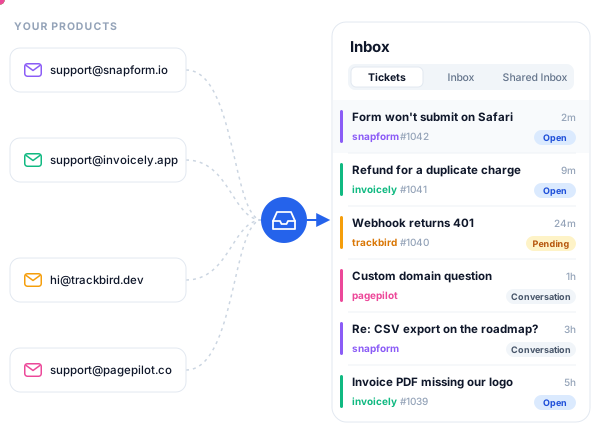
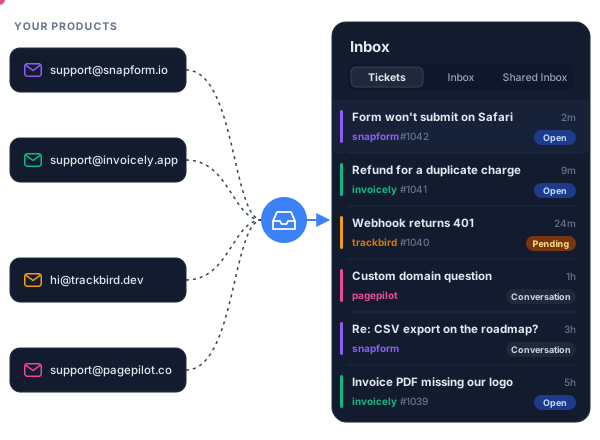
Support email from several products flowing into one GoPimi inbox Support email from several products flowing into one GoPimi inbox
The problem

Support shouldn't need a second job

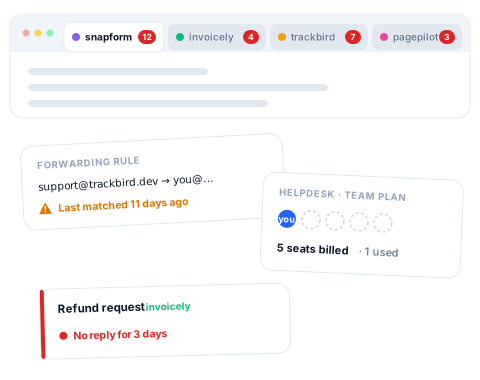
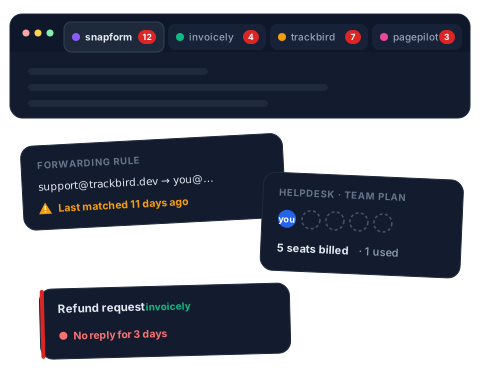
One Gmail tab per product. Forwarding rules you don't trust. A helpdesk priced per seat, built for teams of twenty. When you run several products on your own, support ends up spread across tools that each want a little maintenance, every week.

GoPimi puts it back in one place, and lets you handle it the way you already work.

Support for several products spread across separate mail tabs, forwarding rules and a per-seat helpdesk Support for several products spread across separate mail tabs, forwarding rules and a per-seat helpdesk
One inbox, every product

Every product, its own address, one inbox

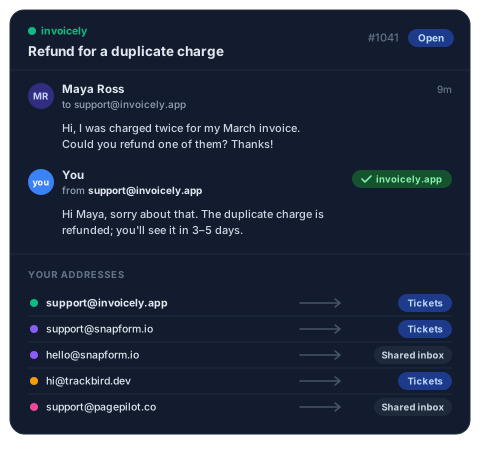
  • support@ each of your domains, received and sent from that domain, not a shared helpdesk address.
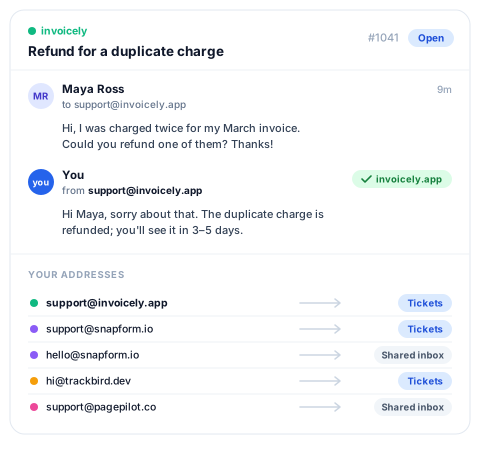
  • Email becomes a ticket, or stays a conversation: shared inbox for support, personal inbox for everything else.
  • Keep products apart in their own workspaces when you want a hard wall between them.
A support ticket answered from the product's own address, and each product's address set to create tickets or shared-inbox conversations A support ticket answered from the product's own address, and each product's address set to create tickets or shared-inbox conversations
Work it from where you build

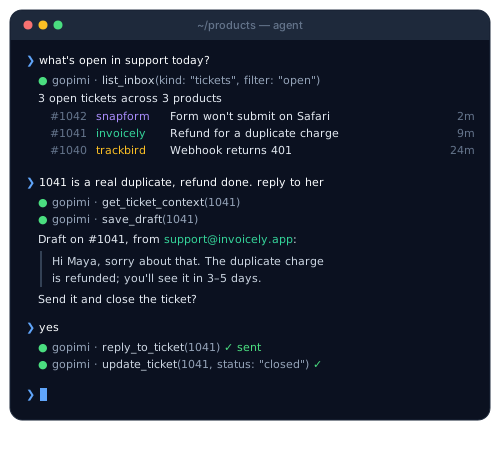
Answer support without leaving your terminal

  • Claude Code, Codex, Gemini CLI: clone the GoPimi agent workspace, add your token, and ask: "show me today's open tickets", "draft a reply to #42", "what did this customer ask last month?"
  • Your AI chat: connect GoPimi's MCP server and do the same from Claude or any MCP client.
  • Bring your own AI. GoPimi doesn't bundle a model or charge for AI. Your AI tool does the thinking; GoPimi is the inbox, the tickets and the API underneath.
A terminal AI agent listing open GoPimi tickets, drafting a reply from the product's own address, sending it and closing the ticket
Built on an API

Everything the dashboard does, the API does

  • REST API for tickets, conversations, contacts and drafts
  • Webhooks with signed payloads
  • Automatic triage rules
  • SLA timers

Script anything; the AI tools use the same API you do.

cURL
# Create a ticket via API
GOPIMI_API=https://core.gopimi.com/api/v1

curl -X POST "$GOPIMI_API/workspaces/$WS_ID/tickets" \
  -H "Authorization: Bearer $GOPIMI_TOKEN" \
  -H "Content-Type: application/json" \
  -d '{
    "subject": "Refund for a duplicate charge",
    "description": "Charged twice for my March invoice.",
    "contact": {
      "name": "Maya Ross",
      "email": "maya@acme.co"
    },
    "workspace_email": "support@invoicely.app",
    "priority": "high"
  }'

Simple, Transparent Pricing

Pricing for when we open up. Early-access founders hear first.

Lite

$9 / mo
Billed monthly · cancel anytime
  • 1 workspace
  • 2 team members
  • 5 email domains
  • Full REST API access
  • Email notifications
Request access

Business

$79 / mo
Billed monthly · cancel anytime
  • 3 workspaces
  • 20 team members
  • 25 email domains
  • Everything in Pro
Request access

Frequently Asked Questions

Who is GoPimi for?
Solo founders and very small teams running more than one product, who want every product's support email in one inbox on its own domain.
Can I manage support from Claude Code or ChatGPT?
Yes. GoPimi has an MCP server and a ready-made agent workspace, so any MCP-capable AI tool or agent CLI can read tickets, draft replies and act on them with your permissions.
Does GoPimi include AI?
No, on purpose. You bring the AI tool you already use; GoPimi provides the inbox, tickets and API it works on.
Can I sign up today?
Access is by request while we let founders in gradually. Request access and we'll reply personally.
Is GoPimi free?
GoPimi doesn't have a free tier. Plans start at $9/mo for Lite, $29/mo for Pro, and $79/mo for Business — each adds more domains, members, and contacts. See pricing for details.
How is GoPimi different from Zendesk or Freshdesk?
GoPimi is API-first. While traditional helpdesks are UI-first with APIs bolted on, GoPimi treats the API as the product. Every feature is designed to be automated and integrated, with a lightweight dashboard for operations.
Can I use my own email domain?
Yes. GoPimi supports custom email domains with full DNS verification. You can also use email forwarding if you don't want to change your MX records — just forward your existing email to a GoPimi address. Inbound emails automatically create and update tickets with proper threading.
What's the difference between tickets, shared inbox, and personal inbox?
GoPimi has three workflows. Tickets are for structured support — they have status, priority, agent assignment, and SLA tracking. The shared inbox handles team conversations visible to all workspace members, ideal for general inquiries on a shared address like info@. The personal inbox is private to an individual user — conversations route there when an email address is assigned to a specific user, auto-assign to that person, and only they receive notifications. Each workspace email is purpose-routed automatically — one platform for all three workflows.
Can I manage multiple brands or products?
Absolutely. GoPimi's multi-workspace model lets you run isolated support operations for each brand, product, or client from a single account.

View all FAQs →

Run support like you run your code

One inbox for every product, driven from wherever you work.

Request access